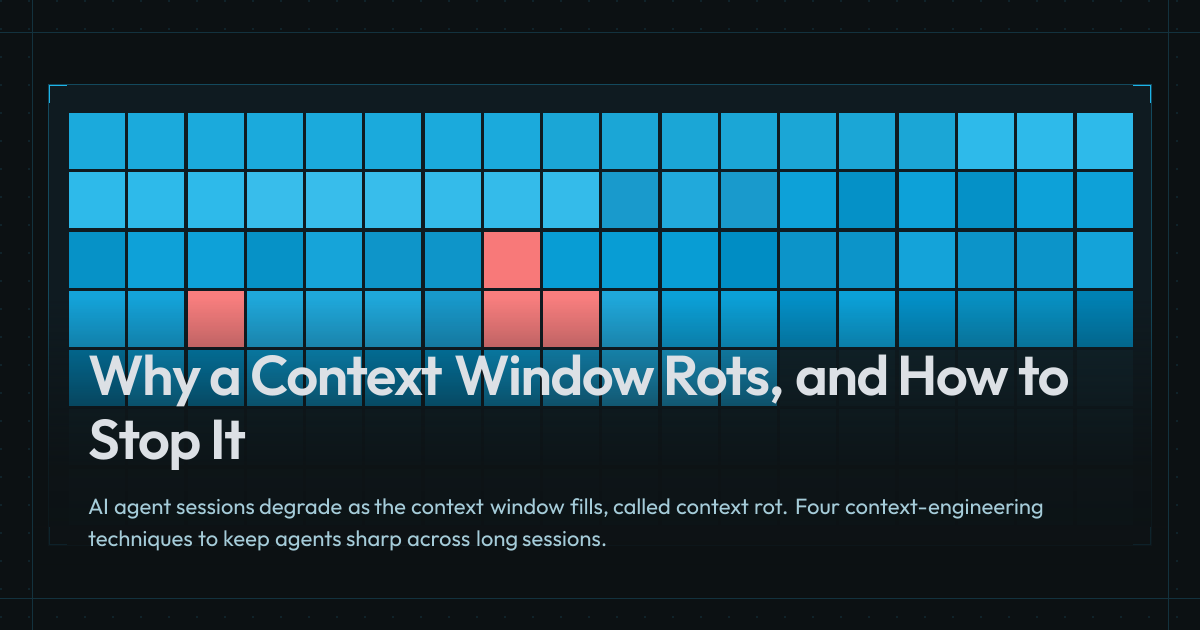
The system prompt, the conversation, tool use responses, referenced or attached files, etc. are all accumulating in an AI’s context, and as it grows, performance degrades and costs go up (even with caching).
Two things shape every response: the underlying large language model and its capabilities, and the content that’s fed to it (aka the Context Window), which includes the system prompt, tool definitions, project instructions, your messages, attached files, and every tool result the session produces. Context Engineering is the practice of managing that content to keep the agent’s work effective as the work progresses.
The Context Window
Visualization: The context window filling up.
How the Context Window Is Used
You start with the size of the context window, measured in The chunks of text a model reads and writes, roughly 3/4 of a word each in English. (most frontier models currently support 200K to 1M), and when you start a new session or chat, you open a fresh context window.
But then, it’s not quite empty. It already contains the system prompt your application or agent The app wrapped around the model, like Claude Code, Cursor, or Aider. shipped with, and the descriptions and usage instructions of its tools (e.g., web search, reading files, memory recall). Claude Code’s system prompt and built-in tools alone come to around 17K tokens depending on version and settings.
Additionally, any user or project level instructions (e.g., AGENTS.md), agent and skill descriptions, and Model Context Protocol, an open protocol for plugging AI agents into external systems through tools they can call, resources they can read, and prompt templates they can reuse. server tool catalogs are also loaded into your context window. A single MCP server can ship tens of thousands of tokens of tool definitions, which can push a fresh session past 60K tokens before you’ve sent your first prompt.
Then you write your first message, maybe attach a bunch of files or point to some directories, and the LLM uses all the previous content in order to respond or act on your behalf, making more tool calls and file searches whose results pile up in the window.
What Happens As It Fills
And as you continue the session, the context window keeps filling up with every tool call, result, file, and turn.
The way an LLM works is to process the context up to that point to produce the next token, so at each step, in order to generate token n+1, all n previous tokens are sent as input (I go into more detail in my LLMs 101 article). Every new token is generated by reading every previous one, and the size of what’s read has implications on the output’s speed, cost, and more importantly, quality.
The model performance starts to suffer the more its context window is filled up. It gets harder for the model to attend to the most relevant details, and it may get lost in the sauce or distracted by irrelevant information, or by misleading content that acts as a distractor, like failed tool calls, stale docs, tangents the conversation already moved past, or an earlier wrong answer you corrected. Chroma calls this context rot[1]Context Rot: How Increasing Input Tokens Impacts LLM PerformanceView source.
Attention also isn’t uniform, it’s a U shape: models retrieve information from the middle of the window less reliably than from the start or end, which researchers named Lost in the Middle[2]Lost in the Middle: How Language Models Use Long ContextsView source.
First speed, reading all the tokens is slow, and cost is also a huge factor, model providers bill you by the token, so the more tokens you have, the more expensive the task is.
Caching helps on both fronts, but it’s not a silver bullet. Most model providers give you a 50% to 90% discount if you hit the cache, which helps a little, but caches go cold after a few minutes.
Visualization: A baseline context window fills with task detritus and distractors, then a cleaner with-subagents window appears alongside it; subagents fan out, hand back compact summaries, and total tokens are compared against the single-session cost.
How to Manage It
On every turn, you’re deciding what does and doesn’t have to be in front of the model, and here are four techniques that help with that.
Delegate With Subagents
In a given task, the An LLM running in a loop where it decides its own next step (call a tool, read a file, write code), looks at the result, and picks what to do next. may need to research a topic, look into an area of the codebase, and/or run some troubleshooting commands, and all of that stacks up in the context window, cluttering it with details that aren’t relevant to the next steps.
So you fan the work out to subagents instead, each with a fresh context window and a prompt for its task. While writing this article, I’d send a bunch of research subagents to find sources for each section in parallel.
None of their searching ends up in the main session, only what they found.
Each one summarizes its results and returns only what’s relevant, so the main session gets a few sentences per subagent instead of every page they read.
They do cost more tokens in total, since each one starts with its own system prompt and tools, but the main agent ends up with a lot less in its context window afterwards, so the follow-up work is cheaper.
Visualization: One long session split into stage sessions that hand off written docs, then panels for skills, CLIs, and doc lookups.
Externalize the Record
This article took weeks of sessions (from late April through May), and every fresh session would’ve had to relearn what the previous ones already figured out if nothing was written down.
So instead of one continuous session, I do separate sessions for brainstorming, planning, executing, and review, and the decisions end up in docs that the next fresh session picks up. It’s easier to review too, and when results aren’t what I expected I have a record to look back at.
These docs rot though, and a stale one can mislead the model, so they need the same care as the code.
Load Detail on Demand
A monolithic AGENTS.md (or CLAUDE.md), too many skills and subagents, and too many MCPs can fill up the context window pretty quickly.
On this site’s repo, AGENTS.md is a short file with the project’s essentials, and everything else lives in skills that only load when they’re needed (the article system, the scrollytelling engine, the design system, etc.). That’s progressive disclosure, which is what A folder with a SKILL.md file (plus any scripts or reference files it needs) that the agent loads on demand. Only the name and description sit in the context window all the time, the rest loads when the agent decides it's relevant.[3]Agent Skills SpecificationView source are built on.
MCPs need the same scoping, so start by not installing them on the system level and use project specific MCP servers (GitHub’s MCP server alone adds 23K tokens of tool descriptions to every turn[4]GitHub MCP Server: New Projects tools, OAuth scope filtering, and new featuresView source). And when there’s a CLI, it’s often the better option, since gh --help or gh <subcommand> --help pulls the usage guide on demand (which is why you see a lot of discourse about CLIs vs MCPs).
And since skills and docs only get pulled in when their description matches the task, a vague description is as good as not having them at all.
Visualization: A nearly full context window collapses its conversation band into a model-generated summary, where a question mark marks the detail lost to compaction. The window then rewinds to a checkered checkpoint, discarding the work after it, and forks into two windows that share the checkpoint but diverge into different downstream blocks.
Manage a Long Session
Even with all of that, the context window still fills up with legitimate work, and most harnesses ship three primitives for it: compact, rewind, and fork.
Compaction replaces the session history with a model-generated summary, and it’s better to do it yourself at a clean break than to let the harness auto-compact in the middle of a task.
The catch is that compaction is lossy by design. The lengthier and noisier the input, the worse the summary, and the agent can lose the task constraints, the failed attempts, or the user corrections that shaped the current direction.
Rewinding lets you go back some steps to an earlier checkpoint when a session hits a dead end, and some harnesses revert the code changes along with the conversation.
After rewinding from a dead end, you may want to explore multiple options in parallel before committing to one. This is where session forking comes in. Anytime during the session, you can create multiple branches and explore different approaches, or go on a side quest while the main session keeps working.
Context engineering is a moving target. The technology keeps evolving, and harnesses keep taking over more of it with automatic subagent delegation, auto-memory across sessions[5]How Claude remembers your project - Auto memoryView source, on-demand MCP loading[6]Connect Claude Code to tools via MCP - Scale with MCP Tool SearchView source, and smarter compaction, but you still know what you’re trying to do better than the harness does.
References
- Context Rot: How Increasing Input Tokens Impacts LLM Performance — Chroma Research, 2025.
- Lost in the Middle: How Language Models Use Long Contexts — Liu et al., 2023.
- Agent Skills Specification — Agent Skills (open standard), 2025.
- GitHub MCP Server: New Projects tools, OAuth scope filtering, and new features — GitHub, 2026.
- How Claude remembers your project - Auto memory — Anthropic, 2026.
- Connect Claude Code to tools via MCP - Scale with MCP Tool Search — Anthropic, 2026.